
Pūaha—me pēhea te tomo atuPūaha—how to log in
Pūaha—the mouth of the river—is where you'll go for help and information throughout your student journey at Te Herenga Waka—Victoria University of Wellington.
Get enrolment help
If you have any issues with enrolment, email info@vuw.ac.nz or call 0800 04 04 04.
We've also outlined some solutions for portal sign-up issues, account log-in problems, and enrolment challenges—and listed who to contact if those solutions don't work for you.
Logging in for the first time
If you're a current student logging into Pūaha for the first time, you should:
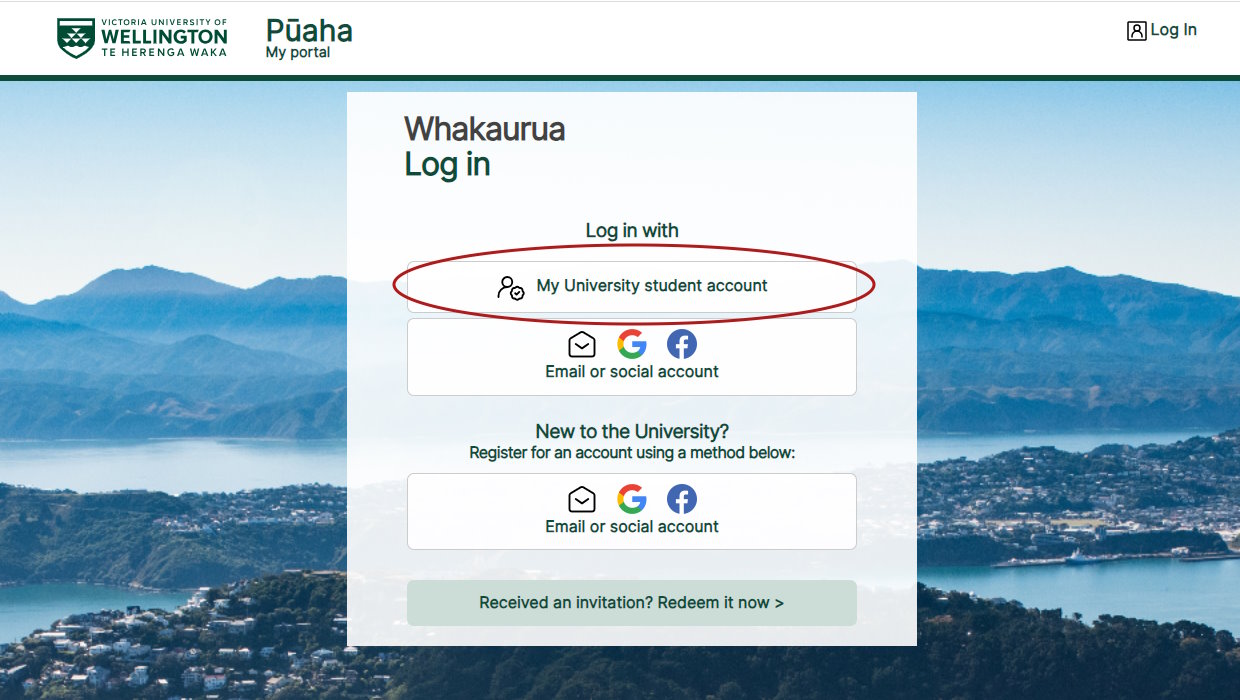
- go to Pūaha
- select the second option—'My University student account'
- use your 'myVUW' email address and password to log in and activate your account.
PhD students
If you're a current PhD student, you should:
- open a private browsing window (an incognito window in Chrome)
- go to Pūaha
- select the second option—'My University student account'
- use your 'myVUW' email address and password to log in and activate your account.
Using a private browsing window avoids the University's single sign-on system trying to log you in with your 'staff' username and password.
If you are unsure of your 'myVUW' student account details, call us on +64 4 463 5050. We can also help you reset your password.
Future students
If you're applying to study, find out how you can log in or sign up to use Pūaha.